
Industrial instruments are becoming increasingly intelligent, compact, and interactive. Traditional mechanical knobs, switches, and push buttons are gradually being supplemented or replaced by touchscreen interfaces that provide flexible graphical controls, real-time measurement data, and simplified equipment operation.
From digital multimeters and electrical testing instruments to medical analyzers, industrial controllers, and vehicle diagnostic systems, projected capacitive (PCAP) touchscreens are playing a growing role in modern human-machine interfaces.
However, industrial operating environments introduce challenges rarely encountered by ordinary consumer electronics.
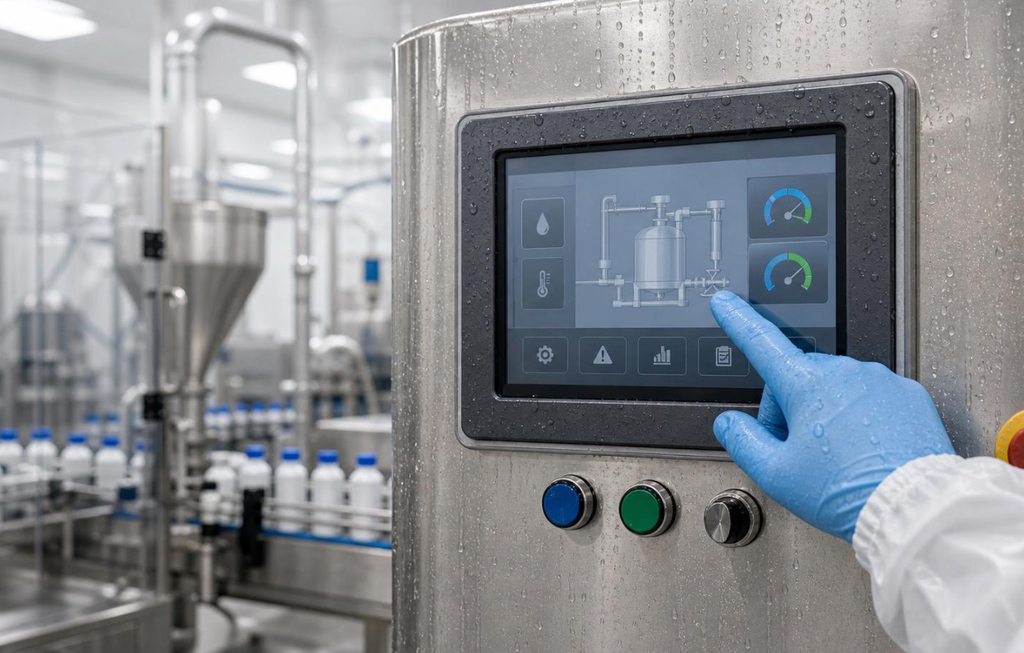
An electrician may need to operate a diagnostic instrument while wearing protective gloves. A handheld tester may be exposed to rain or condensation. An industrial HMI installed near a variable frequency drive (VFD) may experience electromagnetic interference that causes unexpected touch events.
In these conditions, touchscreen failure can involve more than a missed command.
False touch activation, commonly called ghost touch, can create operational risks when a touchscreen controls machinery or safety-related functions.
Reliable industrial touch performance requires careful coordination between touchscreen sensor design, touch controller ICs, firmware algorithms, protective cover glass, electrical grounding, and environmental protection.
This article explores the key engineering principles behind industrial PCAP touchscreen design, focusing on three major challenges:
- Reliable operation in wet environments
- Accurate touch detection while wearing gloves
- Electromagnetic noise immunity in industrial equipment
It also examines G+G touchscreen structures, thick cover-glass integration, and practical OEM selection criteria.
1. How Industrial PCAP Touchscreen Technology Works
Projected capacitive touch technology detects changes in an electric field created by conductive electrodes embedded within a touch sensor.
When a finger approaches or contacts the cover surface, it modifies the capacitive coupling measured by the system.
A touch controller processes these changes to determine touch position, movement, and gesture information.
A typical industrial PCAP touchscreen assembly includes:
- Protective cover glass
- Transparent conductive sensor electrodes
- Optical adhesive or bonding layers
- Touch controller IC
- Flexible printed circuit (FPC)
- Grounding and shielding components
- TFT LCD or OLED display module
Unlike mechanical switches, PCAP touchscreens do not require exposed moving contact mechanisms.
This makes them attractive for equipment requiring a smooth, cleanable front surface.
However, touchscreen performance depends on the electrical behavior of the complete structure.
Self-Capacitance vs. Mutual-Capacitance
Two important sensing approaches are self-capacitance and mutual-capacitance.
Self-Capacitance Sensing
Self-capacitance measures the capacitance of individual sensor electrodes relative to a reference, generally influenced by the surrounding electrical environment.
It can provide high sensitivity for proximity or single-touch applications.
However, interpreting multiple simultaneous touches can be challenging without additional sensing techniques because ambiguous position combinations may occur.
Mutual-Capacitance Sensing
Mutual-capacitance measures coupling between transmitter and receiver electrodes.
A finger changes the coupling at sensor intersections, allowing the controller to determine touch coordinates.
Mutual-capacitance is widely used in modern multi-touch systems because it supports accurate position tracking and multiple simultaneous touch points.
Comparing Capacitive Sensing Methods
| Особенность | Self-Capacitance | Mutual-Capacitance |
|---|---|---|
| Measurement principle | Electrode capacitance to reference | Coupling between sensor electrodes |
| Sensitivity | Potentially high | Depends on electrode and controller design |
| Multi-touch tracking | More challenging in conventional implementations | Well suited |
| Water interference | Sensitive to environmental capacitance changes | Also affected by water bridging and parasitic coupling |
| Industrial use | Proximity and selected touch applications | Common industrial multi-touch interfaces |
| Noise rejection | Depends on controller and filtering | Depends on controller and filtering |
Some industrial touch controllers can combine multiple sensing measurements or dynamically adjust operating modes.
However, combining self-capacitance and mutual-capacitance does not automatically guarantee waterproof touch operation.
The achievable performance depends on the actual controller architecture, sensor geometry, firmware, and environmental conditions.
2. Challenge One: Reliable Touch Operation in Wet Environments
Moisture is one of the most difficult environmental conditions for projected capacitive touch technology.
Industrial equipment may encounter:
- Rain droplets
- Wet fingers
- Condensation
- Cleaning fluids
- Splashing water
- High humidity
- Conductive process liquids
Water can influence the electric field around touchscreen electrodes.
Depending on the liquid’s conductivity and distribution, droplets may create parasitic coupling or electrically bridge neighboring sensor regions.
Without appropriate signal processing, the touch controller may interpret these changes as valid touches.
2.1 Why Water Causes Ghost Touches
A finger normally creates a recognizable capacitive change that the controller uses to identify a touch.
Water droplets can create different but sometimes overlapping signal patterns.
Potential consequences include:
False Touch Detection
The controller identifies a water droplet as a finger.
Incorrect Touch Coordinates
Water changes the measured capacitive distribution, shifting the calculated touch position.
Unwanted Multi-Touch Events
Water bridges multiple electrodes, producing ambiguous signals.
Loss of Valid Touch Detection
The controller cannot reliably distinguish the intended finger input from the surrounding moisture.
In industrial applications, preventing an unintended command may be more important than maintaining uninterrupted touch responsiveness.
2.2 Water-Rejection Algorithms
Industrial PCAP controllers may use specialized signal-processing techniques to identify and reject interference caused by moisture.
Possible methods include:
- Baseline capacitance compensation
- Spatial signal-pattern analysis
- Temporal filtering
- Adaptive touch detection thresholds
- Signal amplitude and distribution analysis
- Water-event classification
- Dynamic switching between supported sensing modes
For example, the controller may determine that a broad or irregular capacitive disturbance is more consistent with water than a finger.
It may then suppress that event rather than reporting a touch coordinate.
Some designs also restrict multi-touch gestures when significant moisture is detected.
The appropriate strategy depends on equipment requirements.
2.3 Waterproof Touch vs. Water-Rejection Mode
These concepts are frequently confused.
| Требование | Engineering Meaning |
|---|---|
| Waterproof enclosure | Prevents water ingress under specified conditions |
| Water-rejection algorithm | Suppresses unintended touch events caused by moisture |
| Wet-finger operation | Detects intentional touches made with wet fingers |
| Rain operation | Maintains defined touch behavior under droplets or rainfall |
| Underwater touch | Requires specialized sensing and validation |
| Condensation resistance | Addresses moisture exposure and associated electrical/optical effects |
A touchscreen that meets an enclosure IP rating does not necessarily function accurately when water covers the sensor.
Similarly, water-rejection firmware does not make an enclosure waterproof.
2.4 Engineering Recommendations for Wet-Touch Applications
When developing a waterproof capacitive touchscreen, OEM engineers should:
- Define the expected water exposure.
- Specify whether valid touches must continue during wet conditions.
- Evaluate the selected controller’s water-detection capabilities.
- Optimize sensor electrode geometry and firmware thresholds.
- Test the complete assembly with the final cover glass and sealing structure.
- Verify that moisture does not activate critical controls unintentionally.
For safety-sensitive machinery, consider independent protective functions or physical controls where required by the equipment’s risk assessment.
Engineering takeaway: Reliable wet-touch operation depends on controlled sensor behavior and system-level safety design, not merely a waterproof label.
3. Challenge Two: Glove Touchscreen Technology for Industrial Operators
Industrial personnel often wear gloves to protect against mechanical, chemical, thermal, or electrical hazards.
К типичным примерам относятся:
- Rubber insulating gloves
- Leather protective gloves
- Нитриловые медицинские перчатки
- Chemical-resistant gloves
- Winter work gloves
- Cut-resistant industrial gloves
These materials introduce an insulating layer between the operator’s finger and the capacitive sensor.
As the separation increases, the measured capacitive signal generally becomes weaker.
This creates an important challenge for industrial PCAP touchscreen design.
3.1 Why Ordinary Capacitive Touchscreens Struggle with Gloves
A capacitive touchscreen is typically optimized around the electrical coupling produced by a bare finger.
When a glove is introduced, several factors can influence touch detection:
- Glove thickness
- Material dielectric properties
- Glove fit
- Contact area
- Moisture content
- Cover-glass thickness
- Sensor sensitivity
- Electrical noise environment
For example, a thin nitrile glove and a thick leather work glove may produce very different touch responses.
Similarly, insulating rubber gloves used for electrical work can substantially reduce coupling.
Therefore, a general claim such as “supports glove touch” is insufficient for engineering procurement.
3.2 High-Sensitivity Touch Controller ICs
Industrial touch controllers can provide adjustable sensing parameters to support weaker touch signals.
Depending on the IC architecture, engineers may be able to optimize:
Detection Threshold
Reducing the required signal threshold can improve recognition of weaker touches.
Scan Parameters
Controller scan timing, frequency, or transmit settings can influence signal detection and noise rejection.
Digital Filtering
Appropriate filters can improve signal stability.
Touch Classification
Firmware can analyze signal patterns to distinguish valid touches from electrical interference.
Baseline Tracking
Adaptive baseline management can compensate for gradual environmental changes.
However, increasing sensitivity introduces trade-offs.
An overly sensitive configuration may respond to nearby conductive objects, moisture, or electromagnetic interference.
Therefore, glove sensitivity must be balanced against false-touch resistance.
3.3 Can PCAP Touchscreens Work with Thick Rubber or Leather Gloves?
Yes, certain combinations of capacitive sensors and controllers can support specified thick gloves.
However, reliable operation through thick insulating materials is not guaranteed.
Performance must be tested using the actual glove type, cover-glass construction, and final equipment configuration.
For equipment operated with electrical insulating gloves, developers should also consider whether the glove must be worn with a protective outer glove.
Testing with only one layer may not represent the actual field conditions.
The glove’s safety performance must not be modified merely to make the touchscreen work.
3.4 Glove Mode Design Checklist
| Design Parameter | What Engineers Should Verify |
|---|---|
| Glove material | Rubber, leather, nitrile, textile, or layered construction |
| Glove thickness | Actual production glove specification |
| Защитное стекло | Thickness and dielectric characteristics |
| Touch accuracy | Position error and minimum button size |
| Response time | Acceptable delay for intended operation |
| False-touch behavior | Resistance to noise and unintended contact |
| Wet-glove operation | Performance when gloves are damp |
| Рабочая температура | Sensitivity at environmental extremes |
| Touch gestures | Whether tapping, dragging, or multi-touch is required |
Engineering takeaway: Glove mode is an application-specific calibration requirement. Final validation must use the actual protective equipment worn by operators.
4. Challenge Three: EMC Noise Immunity and Ghost Touch Prevention
Industrial environments contain numerous sources of electromagnetic disturbance.
Examples include:
- Variable frequency drives (VFDs)
- Electric motors
- Switching power supplies
- Power inverters
- Welding equipment
- Relays and contactors
- Industrial communication systems
- High-voltage switching equipment
These systems can introduce conducted or radiated interference into a touchscreen assembly.
Because projected capacitive sensors measure relatively small electrical changes, poorly controlled interference can degrade touch performance.
4.1 Understanding Conducted and Radiated Interference
Conducted Interference
Conducted noise reaches the touch electronics through electrical connections, including power and signal wiring.
For example, switching disturbances from a motor drive may couple into a controller’s supply or communication interface.
Radiated Interference
Radiated electromagnetic fields can couple into sensor electrodes, cables, controller circuitry, or other conductive structures.
Both mechanisms can influence touch detection.
4.2 Common EMI-Related Touchscreen Failures
Potential symptoms include:
- Ghost touches
- Touch coordinate instability
- Unresponsive regions
- Repeated false activation
- Intermittent loss of touch detection
- Communication errors
- Controller resets
However, not every ghost-touch event is caused by EMI.
Moisture, improper calibration, grounding faults, damaged connectors, firmware issues, and mechanical stress can produce similar symptoms.
Root-cause testing is essential.
4.3 Hardware Design for Improved Noise Immunity
Industrial touchscreen EMC performance begins at the hardware level.
Stable Power Supply
Use appropriate decoupling, filtering, and transient protection to maintain controller power integrity.
Optimized FPC Routing
Avoid unnecessarily long signal routes and keep sensitive touch lines away from high-current switching paths.
Grounding Strategy
Define appropriate relationships between digital ground, chassis, touch sensor reference, and shielding layers.
Shielding Integration
Conductive shielding layers or suitable mesh structures may reduce specific interference mechanisms when properly designed and terminated.
Controller Placement
Locate the controller to minimize susceptible signal paths and unwanted coupling.
Touch Sensor Design
Optimize electrode geometry, routing, and surrounding conductive structures.
These measures should be implemented as part of the complete equipment design.
4.4 Firmware Filtering and Frequency Selection
Industrial touch controllers may offer configurable scanning and noise-rejection features.
Depending on the device, these may include:
- Scan-frequency adjustment
- Frequency hopping
- Digital noise filtering
- Signal averaging
- Adaptive baseline compensation
- Interference detection
- Touch-event validation
A controller capable of adapting its sensing behavior can improve robustness under certain noise conditions.
Nevertheless, firmware cannot compensate for every hardware design problem.
Poor grounding, severe power disturbances, or unsuitable sensor routing may require structural or circuit-level changes.
4.5 Relevant EMC Immunity Standards
OEM manufacturers should identify the applicable EMC requirements for their target equipment and market.
| Стандартный | Test Focus |
|---|---|
| IEC 61000-4-2 | Electrostatic discharge immunity |
| IEC 61000-4-3 | Radiated RF electromagnetic field immunity |
| IEC 61000-4-4 | Electrical fast transient/burst immunity |
| IEC 61000-4-5 | Surge immunity |
| IEC 61000-4-6 | Conducted RF disturbance immunity |
| IEC 61326-1 | EMC requirements for measurement, control, and laboratory equipment |
These standards do not automatically apply in the same way to every touchscreen module.
The applicable test levels and acceptance criteria depend on the finished equipment.
For example, a touch interface may need to continue operating normally during a disturbance, while another application may permit temporary performance degradation followed by automatic recovery.
The correct acceptance criteria must be established through the relevant product requirements and risk assessment.
4.6 Practical EMC Validation for Industrial Touchscreens
A useful validation program should test the touchscreen in its final electrical configuration.
Important test conditions include:
- Motors operating at different speeds
- VFD switching and startup events
- Maximum display backlight brightness
- Battery and external power operation
- Connected communication cables
- Dry-finger and glove operation
- Moisture exposure where applicable
- Temperature extremes
The final system should be evaluated for false touches, missed touches, communication errors, and recovery behavior.
Engineering takeaway: EMC immunity is a system-level characteristic involving the sensor, controller, power supply, wiring, grounding, enclosure, and firmware.
5. Industrial Touch Panel Structures: G+G vs. G+F vs. G+FF
The physical structure of a projected capacitive touchscreen influences optical performance, mechanical integration, thickness, and manufacturing cost.
Common constructions include Glass + Glass (G+G), Glass + Film (G+F), and Glass + Film + Film (G+FF).
5.1 G+G: Glass + Glass Touchscreen Structure
A G+G capacitive touchscreen typically uses a protective cover-glass layer and a separate glass-based sensor substrate.
This structure is commonly considered for industrial and commercial applications requiring stable dimensions and durable front-surface construction.
Potential advantages include:
- Good dimensional stability
- Durable cover-glass options
- Suitable optical properties
- Compatibility with selected protective surface treatments
- Integration flexibility for industrial front panels
However, chemical resistance and impact performance depend largely on the selected cover-glass material, surface treatment, sealing, and complete assembly.
The presence of a glass sensor substrate does not automatically make the touchscreen impact-resistant or chemically resistant.
5.2 G+F: Glass + Film Structure
G+F designs combine a glass cover lens with a film-based sensor structure.
Potential advantages include reduced thickness or weight, depending on the construction.
This can be relevant for compact portable instruments.
5.3 G+FF: Glass + Film + Film Structure
G+FF generally uses a glass cover lens with two film-based sensor layers.
It can offer flexibility for particular electrode arrangements and manufacturing processes.
Its electrical and optical performance depends on the chosen materials and design.
Industrial PCAP Structure Comparison
| Параметр | G+G | G+F | G+FF |
|---|---|---|---|
| Sensor substrate | Glass | Film | Film layers |
| Mechanical rigidity | В целом выше | More flexible | More flexible |
| Вес | Often higher | Potentially lower | Design-dependent |
| Thickness | Depends on glass stack | Can be thin | Design-dependent |
| Optical properties | High clarity possible | High clarity possible | High clarity possible |
| Industrial durability | Depends on full assembly | Depends on full assembly | Depends on full assembly |
| Typical selection driver | Dimensional stability and integration | Thin, lightweight construction | Sensor architecture flexibility |
No single structure is universally superior.
For rugged industrial instrumentation, G+G is often a useful starting point, but the complete optical and mechanical requirements should determine the final selection.
6. Thick Cover Glass: Balancing Protection and Touch Sensitivity
Industrial touchscreen systems may use thicker cover glass to improve physical protection or meet mechanical design requirements.
Depending on the application, designers may investigate cover-glass thicknesses of approximately 4 mm to 6 mm.
However, thick glass introduces an important electrical trade-off.
6.1 Why Thick Glass Reduces Capacitive Coupling
Projected capacitive sensing depends on the electric field extending through the cover material.
As the distance between the finger and sensor electrodes increases, the touch signal generally becomes weaker.
A thicker cover lens can therefore make it more difficult for the controller to distinguish valid touch inputs from background noise.
This becomes particularly challenging when thick glass is combined with protective gloves.
6.2 Can a Capacitive Touchscreen Work Through 6 mm Glass?
It may be possible with a suitable sensor design, controller, and firmware configuration.
However, 6 mm touch performance cannot be guaranteed based solely on an advertised controller specification.
Engineers must evaluate:
- Cover-glass material
- Total optical stack thickness
- Touch sensor pitch
- Electrode design
- Controller signal-to-noise ratio
- Finger and glove characteristics
- Grounding and enclosure design
- Required touch accuracy
- Moisture and electrical noise conditions
The final design may require trade-offs between glass thickness, minimum touch-target size, supported gestures, and environmental immunity.
6.3 Impact Resistance Is Not Explosion Protection
Thicker or chemically strengthened glass can contribute to mechanical protection.
However, it is important to distinguish between different types of safety claims.
Impact Resistance
Depends on glass construction, mounting support, enclosure design, and relevant impact testing.
Explosion-Proof Equipment
Requires compliance with applicable hazardous-location protection requirements.
A thick touchscreen cover lens does not automatically make equipment explosion-proof.
For industrial equipment requiring an IK impact rating, the completed protective assembly must be tested against the applicable requirements.
6.4 Optical Bonding and Thick Cover Glass
Optical bonding can help reduce internal reflections between the display, touchscreen, and cover glass.
It can also eliminate internal air gaps where condensation might otherwise develop.
However, the bonding material, thickness, and dielectric properties can affect touch performance.
Consequently, touchscreen firmware should be tuned using the final production-intent optical stack.
Engineering takeaway: Cover-glass protection and touchscreen sensitivity must be engineered together, especially for glove-operated instruments.
7. Touch Controller Selection: ILITEK, EETI, and System-Level Optimization
The touch controller IC is a critical component of an industrial PCAP touchscreen.
It converts electrical signals from the sensor into usable touch coordinates and manages features such as filtering, scanning, gesture recognition, and signal compensation.
Controller manufacturers such as ILITEK и EETI offer capacitive touch solutions for various applications.
However, the suitability of a controller depends on its specific model and integration requirements.
7.1 Important Touch Controller Selection Criteria
OEM engineers should evaluate:
Sensor Compatibility
Does the controller support the intended sensor size, electrode structure, and channel configuration?
Работа с перчатками
Can the controller reliably detect the required glove types with the selected cover glass?
Water Rejection
Does the controller provide suitable water-detection or water-rejection functionality?
Noise Immunity
What filtering, frequency adaptation, and interference-handling capabilities are available?
Electrical Interface
Does the controller support the required I²C, USB, or other host interface?
Firmware Configuration
Can the controller parameters be adjusted and validated for the final equipment?
Рабочая температура
Does the controller meet the required environmental specifications?
Lifecycle and Supply
Is the selected controller appropriate for the planned equipment production lifecycle?
7.2 Why Controller Selection Alone Is Not Enough
Even a high-performance controller cannot guarantee reliable operation when integrated with an unsuitable sensor or poorly designed electrical system.
For example, a controller configured successfully with a thin cover glass may require substantial retuning after the final product adopts a 5 mm protective lens.
Similarly, a touchscreen that works correctly in a laboratory may become unstable when installed near an operating motor drive.
The sensor pattern, cover glass, controller, firmware, grounding, display electronics, and enclosure should therefore be developed as a coordinated system.
7.3 Recommended OEM Development Workflow
Step 1: Define the Operating Conditions
Document glove types, moisture exposure, electrical noise sources, temperature requirements, and touchscreen usage.
Step 2: Select the Sensor Structure
Evaluate G+G, G+F, or G+FF based on mechanical, optical, and electrical requirements.
Step 3: Select the Touch Controller
Choose a suitable controller after reviewing sensor compatibility and required operating modes.
Step 4: Finalize the Cover-Glass Stack
Confirm cover thickness, printed borders, bonding method, and surface treatments.
Step 5: Tune Controller Firmware
Optimize sensitivity, scanning behavior, filtering, and touch-event thresholds.
Step 6: Perform Environmental Validation
Test dry touch, glove touch, water exposure, electrical interference, and temperature variations.
Step 7: Freeze the Qualified Configuration
Document firmware versions, mechanical drawings, controller settings, and validated component revisions.
This process reduces the risk of unexpected performance changes during mass production.
8. Industrial PCAP Touchscreen Application Selection Matrix
Different industrial applications prioritize different touch capabilities.
| Заявка | Main Challenge | Recommended Design Priority |
|---|---|---|
| Electrical test instruments | Insulating gloves and EMI | Glove tuning and noise immunity |
| Outdoor inspection equipment | Rain, moisture, sunlight | Water rejection and sealed front panel |
| Factory HMIs | VFD noise and frequent operation | EMC-aware design and durable cover glass |
| Medical analyzers | Cleaning and thin examination gloves | Chemical compatibility and controlled touch behavior |
| Vehicle diagnostic systems | Vibration and electrical transients | Rugged mounting and power integrity |
| Food processing equipment | Moisture and cleaning exposure | Hygienic cover design and wet-touch validation |
| Portable industrial testers | Compact size and multiple environments | Balanced sensitivity and low-power integration |
For each application, engineers should prioritize the conditions that present the highest operational risk.
For example, a factory HMI located near powerful inverters may need stronger emphasis on EMC testing than a portable instrument used in an electrically quiet environment.
9. Industrial PCAP Touchscreen Validation Checklist
Before approving an industrial capacitive touchscreen for mass production, OEM manufacturers should evaluate the following conditions.
| Test Condition | Recommended Verification |
|---|---|
| Bare-finger touch | Position accuracy and response |
| Thick-glove operation | Detection reliability with actual gloves |
| Wet-finger operation | Valid touch recognition |
| Капли воды | Ghost-touch rejection |
| Текущая вода | Defined safe touch behavior |
| Максимальная толщина покрытия | Sensitivity and accuracy margin |
| Low-temperature operation | Startup and touch detection |
| High-temperature operation | Stability and coordinate accuracy |
| Conducted RF disturbance | Functional immunity |
| Radiated RF disturbance | Functional immunity |
| Electrostatic discharge | Recovery and touch operation |
| Motor/VFD operation | False-touch and missed-touch behavior |
| Long-term operation | Drift and calibration stability |
Test conditions and pass/fail thresholds should be defined before qualification.
For safety-critical equipment, touchscreen input should not be treated as a substitute for independently required safety controls.
10. Qihantech: Custom Industrial PCAP Touchscreen Solutions for OEM/ODM Projects
Industrial touchscreen development requires a balance between user experience, mechanical protection, environmental durability, and electrical reliability.
Qihantech specializes in industrial TFT LCD displays, OLED modules, and customized capacitive touchscreen solutions for OEM/ODM applications.
For manufacturers of industrial instruments and embedded equipment, Qihantech offers display and touch integration options that can be evaluated according to project requirements.
Industrial Capacitive Touchscreen Customization
Depending on the selected configuration, customization may involve:
- Touch panel size and geometry
- G+G and alternative sensor structures
- Custom cover glass
- Cover-glass printing and surface treatments
- Capacitive touch controller selection
- FPC and connector configuration
- Touchscreen and TFT LCD integration
- Оптическое склеивание
Supporting Glove, Water, and EMI Requirements
For applications involving protective gloves, moisture, or electrical interference, Qihantech can work with OEM customers to define the required touchscreen configuration and engineering evaluation criteria.
Specialized operating modes should be confirmed against the selected controller, sensor construction, and final product environment.
A Practical Approach to OEM Touchscreen Development
Successful customization begins with a detailed understanding of how the final equipment will be used.
OEM customers should provide:
- Equipment type and application
- Required display and touch dimensions
- Материал и толщина перчаток
- Water exposure conditions
- Cover-glass thickness
- Electrical noise environment
- Host communication interface
- Mechanical drawings
- Expected production volume
These details help identify an appropriate touchscreen architecture and reduce integration uncertainty.
Looking for a customized industrial PCAP touchscreen?
Contact Qihantech to discuss capacitive touch panel design, thick cover-glass integration, glove touch requirements, and display module customization.
Website: https://qihantech.com/
11. Frequently Asked Questions (FAQ)
Q1. Can industrial PCAP touchscreens work with gloves?
Yes. Certain industrial PCAP touchscreen designs support glove operation through appropriate sensor configuration, controller selection, and firmware tuning.
However, compatibility depends on glove material, thickness, cover-glass construction, and electrical noise conditions.
Q2. What is waterproof touch technology?
Waterproof touch usually refers to touchscreen operation in the presence of moisture, but the term should be defined carefully.
Water-rejection algorithms can suppress unintended touch events, while enclosure waterproofing requires suitable mechanical sealing and ingress-protection testing.
Q3. What causes ghost touches in industrial capacitive touchscreens?
Ghost touches may result from moisture, electromagnetic interference, unstable power supplies, poor grounding, incorrect sensitivity settings, or mechanical and electrical integration problems.
Accurate diagnosis requires testing the complete equipment.
Q4. Is mutual-capacitance better than self-capacitance for industrial touchscreens?
Mutual-capacitance is widely used for multi-touch applications and provides effective coordinate tracking.
Self-capacitance can offer high sensitivity for selected applications.
Neither method is automatically immune to water or electromagnetic interference.
Q5. Can PCAP touchscreens support 4 mm to 6 mm cover glass?
Some industrial PCAP designs can operate through cover glass in this thickness range.
However, performance depends on the sensor, controller, glass material, firmware, and application environment.
Engineering validation is required for the final configuration.
Q6. What is the advantage of G+G capacitive touchscreens?
G+G structures use glass-based cover and sensor layers, offering dimensional stability and integration flexibility.
Their suitability for rugged industrial applications depends on the complete mechanical and optical assembly.
Q7. How can EMI resistance be improved in industrial touchscreens?
Improved EMC performance may involve optimized grounding, cable routing, power filtering, sensor design, shielding, and controller firmware tuning.
The complete product should undergo applicable EMC testing.
Q8. Are ILITEK and EETI controllers suitable for industrial PCAP applications?
Both manufacturers offer projected capacitive touch controller products.
Suitability depends on the exact controller model, sensor compatibility, supported firmware features, environmental requirements, and qualification results.
Q9. Should an industrial touchscreen use PCAP or resistive touch?
PCAP is attractive for modern graphical interfaces, durable glass surfaces, and multi-touch interaction.
Resistive touch may be preferable when reliable operation with a broad range of insulating gloves or passive styluses is essential and multi-touch is unnecessary.
Q10. What should OEM manufacturers provide when requesting a custom industrial touchscreen?
Manufacturers should specify display dimensions, touch requirements, glove type, water exposure, cover-glass design, electrical interface, EMC environment, operating temperature, and expected production volume.
A complete specification helps suppliers recommend a technically appropriate solution.
Conclusion: Reliable Industrial Touch Requires Complete System Engineering
Industrial projected capacitive touch technology enables modern measurement instruments and control equipment to adopt flexible, intuitive graphical interfaces.
However, dependable operation in harsh environments cannot be achieved through sensor sensitivity alone.
Three major challenges must be addressed together:
- Moisture: Water-rejection algorithms and appropriate sensor design help prevent unintended touch activation.
- Gloves: Controller tuning and electrode optimization improve detection of weak capacitive signals.
- Electrical Noise: Proper grounding, shielding, circuit design, and firmware filtering improve touch stability.
Mechanical construction also matters. G+G sensor structures, durable cover glass, and optical bonding can contribute to an integrated industrial touchscreen solution.
The most important principle is that reliable industrial PCAP performance comes from coordinated sensor, controller, firmware, optical, and electrical design.
For OEM manufacturers developing electrical test instruments, industrial HMIs, medical analyzers, and embedded control systems, early touchscreen engineering can reduce development risk and improve product reliability.
Qihantech provides custom industrial capacitive touch panels and integrated display solutions for OEM/ODM applications.
Explore Qihantech’s display and touchscreen capabilities at https://qihantech.com/.
 English
  Português
  Français
  Deutsch
  Español
  Русский